SPLIIT Pro vs Splitwise: Receipts, Groups and Repayments
SPLIIT Pro vs Splitwise, compared honestly: receipt scanning, sign-up, pricing, and ongoing group tracking — including the things Splitwise still does better.
Choose SPLIIT Pro for itemized receipts, private expense groups and repayment tracking. Choose a collaborative expense app when everybody must edit the same records. SPLIIT Pro does not import another app’s history, convert currencies or transfer money.
| SPLIIT Pro | Splitwise | |
|---|---|---|
| Sign-up to start | Not required | Email account required |
| Receipt scanning and itemization | Included with a free scan allowance | Pro only |
| Tax & tip proration | Automatic, proportional to assigned items | Entered as part of the expense split |
| Ads on free tier | Yes | Yes |
| Long-term balance tracking | Private expense groups and balances | Yes |
| Debt simplification | Suggested repayments within each currency | Yes (“simplify debts”) |
| Payments | Shares a plain-text total; Does not move money | Records settlements; Options vary by market |
| Currency conversion | No; Keeps the currency printed on the receipt | Pro |
Splitwise
Splitwise suits groups that want a shared account with recurring expenses, cloud sync and a web app. Its receipt scanning and currency conversion are Pro features. Existing groups can stay there while one organizer tests SPLIIT Pro for new itemized expenses. Splitwise.
SPLIIT Pro
Six people, one check: $186 in food and drinks, $14.50 tax, $30 tip. Split evenly, that’s $38.42 a head — and it’s wrong, because two people had salads and water while two others split a $60 bottle of wine.
Choose your people and photograph a receipt or upload a screenshot. Review the extracted items, prices, discounts and fees. Correct anything the scan missed, or enter the items yourself.
Assign each item to the people who shared it. Split a shared dish across just those diners; Distribute tax, tip and service fees proportionally.
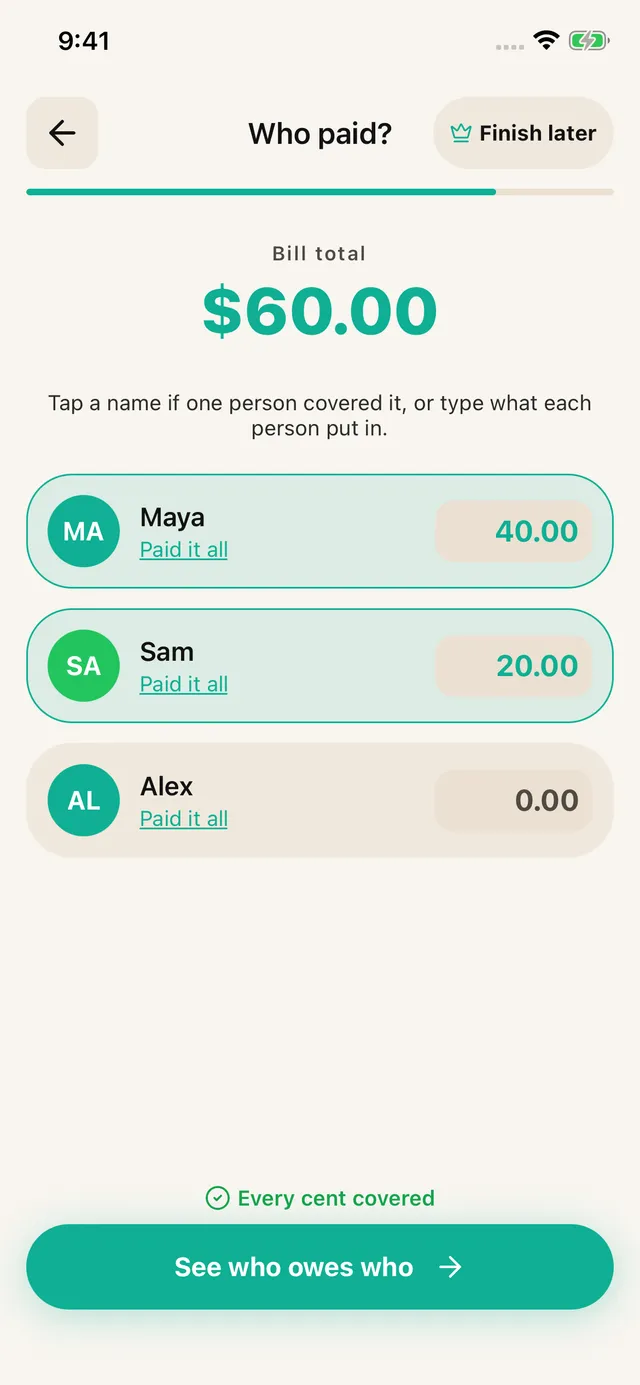
Choose the payer or enter each person’s contribution when several people paid.
Share an itemized breakdown through WhatsApp, Messages or another app. Friends can read it without installing SPLIIT Pro. Pay each other using your usual method.
Trip organizer
Create a trip group and add each expense with its actual payer and participants. Leave skipped activities off that person’s share. Open the group to review the bill and settlement timeline. Keep balances in separate currencies; no exchange-rate conversion is applied.
Yes. Keep related bills in a private expense group, record who paid, and review suggested repayments for each currency. Record partial settlements after the money arrives. Friends can read shared breakdowns; They do not edit your group. Bill history stays on your device.
The free tier allows 7 saved contacts plus you and 3 groups. Scans refill over time. Pro removes ads and adds unlimited scans, contacts and groups, plus drafts. Past transactions remain readable for everyone.
Finish later with Pro: Save a draft from item review, assignment or payer entry and resume from Home.
Try your next split. App Store · Google Play
Splitwise Alternative: 7 Best Free & Paid Apps Compared (2026)
Frequently asked questions
Can I keep several shared bills in SPLIIT Pro?
Yes. Keep related bills in a private expense group, record who paid, and review suggested repayments for each currency. Record partial settlements after the money arrives. Friends can read shared breakdowns; They do not edit your group. Bill history stays on your device.
Can I use SPLIIT Pro for free?
The free tier allows 7 saved contacts plus you and 3 groups. Scans refill over time. Pro removes ads and adds unlimited scans, contacts and groups, plus drafts. Past transactions remain readable for everyone.
Does SPLIIT Pro send the repayments?
Share an itemized breakdown through WhatsApp, Messages or another app. Friends can read it without installing SPLIIT Pro. Pay each other using your usual method.