Groups
Keep a trip, a home or a night out in its own expense history. Groups are private to your account, with shareable breakdowns.
Built for shared expenses
For the friend doing the maths, the house sharing groceries, and the group booking a weekend away.
1.3.11.3.1 is available on the App Store and Google Play.
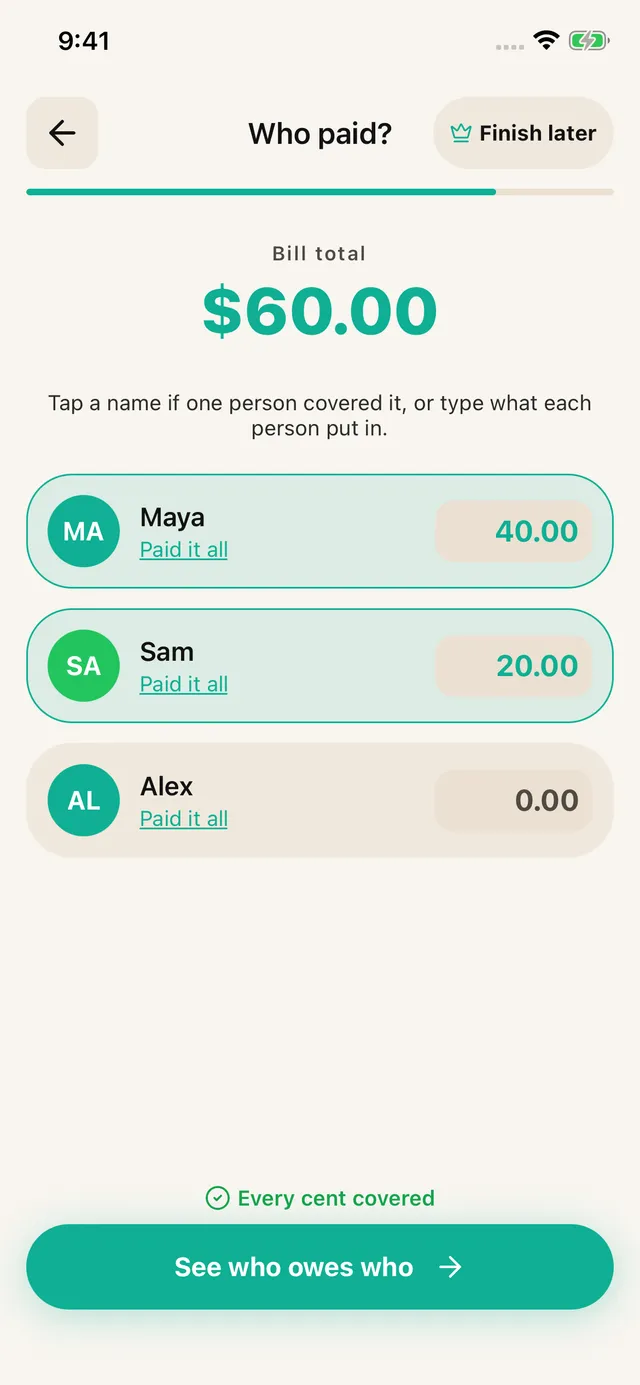

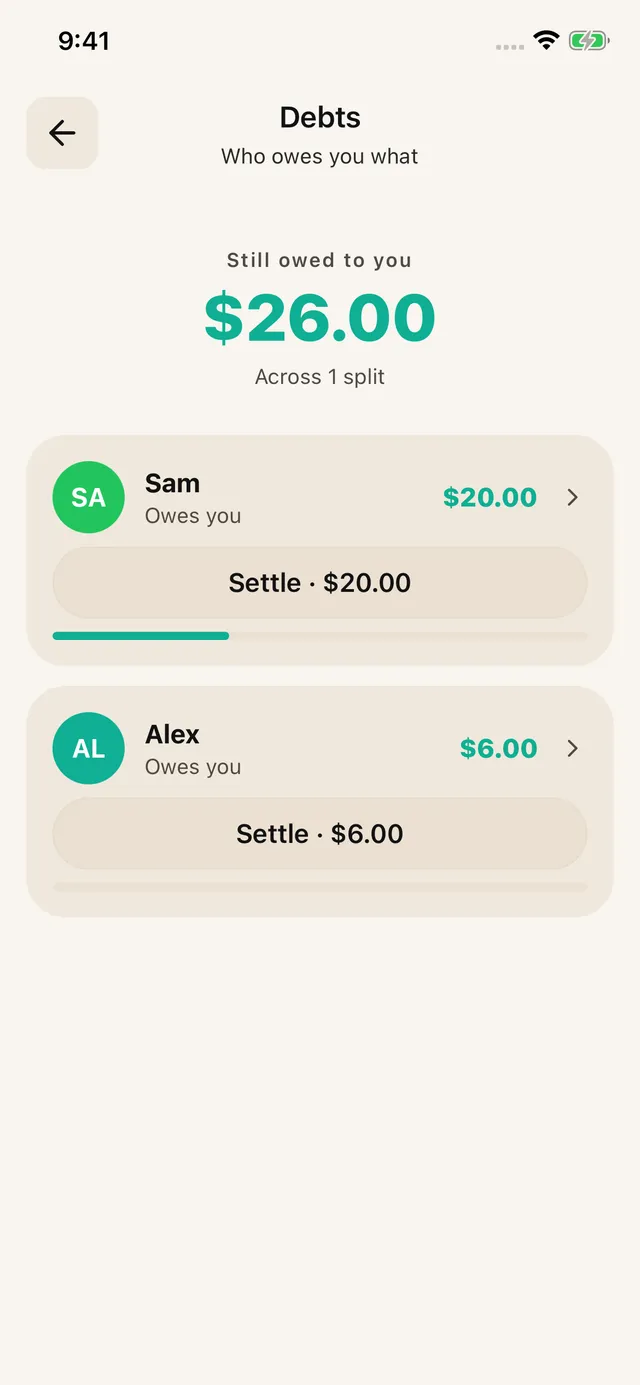
Pick the people in this split. Reuse a saved group or add someone from the selection sheet.
Scan a receipt, upload a screenshot or enter items manually. Check the prices before continuing.
Choose who shared each item. Review the proportional tax, tip and fees.
Choose the payer or enter each person’s contribution when several people paid.
Read each share and the suggested repayments. Share the breakdown; record repayments as they arrive.
Assign the salad to you and the steak to the people who ate it. Share the appetizer only with those who joined in.
Enter who covered the check, then share the suggested repayments. The app calculates; it does not move money.
See how it fitsCreate a trip group and add each expense with its actual payer and participants. Leave skipped activities off that person’s share.
Open the group to review the bill and settlement timeline. Keep balances in separate currencies; no exchange-rate conversion is applied.
See how it fitsAssign household items to the household and personal items to their owner. Keep home expenses together in a roommate group.
Record a partial repayment in the group, or use Debts for eligible ungrouped bills you paid. Add each new bill yourself; Expenses are not created automatically.
See how it fitsUpload the delivery screenshot and check the final discounts and fee lines. Assign each meal and any shared sides.
Share the itemized amounts. Record the payer and use collection reminders to check unpaid shares later. Reminders come to you.
See how it fitsAlex paid $90 and Sam paid $30. Maya paid nothing. Each person's share is $40. Alex should receive $50, Sam owes $10 and Maya owes $40. Sam sends Alex $10 and Maya sends Alex $40. Do not ask Sam for another $40: that would ignore the $30 already paid.
Choose all three people, scan or enter the receipt, and review the items. Assign equal portions or give each dish to the people who had it. On Who paid, enter Alex's $90 and Sam's $30. Check that the contributions total $120, then open the summary for the suggested repayments.
See how it fitsAssign household items to the household and personal items to their owner. Keep home expenses together in a roommate group.
Record a partial repayment in the group, or use Debts for eligible ungrouped bills you paid. Add each new bill yourself; Expenses are not created automatically.
See how it fitsAssign household items to the household and personal items to their owner. Keep home expenses together in a roommate group.
Record a partial repayment in the group, or use Debts for eligible ungrouped bills you paid. Add each new bill yourself; Expenses are not created automatically.
See how it fitsAlex paid $90 and Sam paid $30. Maya paid nothing. Each person's share is $40. Alex should receive $50, Sam owes $10 and Maya owes $40. Sam sends Alex $10 and Maya sends Alex $40. Do not ask Sam for another $40: that would ignore the $30 already paid.
Choose all three people, scan or enter the receipt, and review the items. Assign equal portions or give each dish to the people who had it. On Who paid, enter Alex's $90 and Sam's $30. Check that the contributions total $120, then open the summary for the suggested repayments.
See how it fitsKeep a trip, a home or a night out in its own expense history. Groups are private to your account, with shareable breakdowns.
See eligible unpaid shares and record partial repayments. Group settlements stay in the group.
Save a draft from item review, assignment or payer entry and resume from Home.
The free tier allows 7 saved contacts plus you and 3 groups. Scans refill over time. Pro removes ads and adds unlimited scans, contacts and groups, plus drafts. Past transactions remain readable for everyone.